BREAKING NEWS
Showing posts with label Mobile. Show all posts

Tuesday, 25 July 2017

Nokia 8 to be launched on August 16

Finally, the launch date for the much awaited flagship phone by Nokia has been revealed. HMD Global who is now producing the phones with Nokia branding has started sending invites for an event in London, slotted for 16 August.
The Verge reported that the event marks the launch of Nokia 8 flagship phone with a Carl Zeiss camera. Previously, Nokia has used the lenses in phones like Nokia 808. Last week, VentureBeat reported the leaked images of Nokia 8 along with the rumored specifications.
According to the reported specifications, the phone will rock a Qualcomm Snapdragon 835 processor with 4 or 6 GB of RAM. It will have a 5.3-inch QHD display. The dual camera on the rear will be a pair of 13 MP lenses. The internal storage will be of 64 GB. And the phone will have dual SIM capacity. It will run on Android Nougat 7.1.1 out of the box.
There is no clarity on the availability of the phone in India. The company launched its budget to mid-range models Nokia 3, Nokia 5 and Nokia 6 in the country in June.

Why you don’t need to close the iPhone apps to save battery

If you have ever owned an iPhone, you are wary about the lesser-than-industry-standard RAM that is powering your phone. The natural instinct has always been to open up the multitasking window and swipe up and close all apps, freeing up all that space. But, you probably shouldn't do that.

Apple executives and major tech blogs have maintained the stance that closing these apps doesn't free up RAM on your device nor does it save any battery left. Instead, it probably ends up taking more battery than usual, according to former Apple technician and MartianCraft chief executive Kyle Richter.

He argues that people have a common misconception that force shutting apps will either help or, at least, wouldn't drain the battery. This has been refuted by many analysts and, recently, by Craig Federighi, the head of software development at Apple, who replied to a user query about multitasking and battery life affected by closing these apps.

How to Flash Custom ROMs in Android Devices

Are you a proud owner of Android Smartphone? Are you wondering about the best possible way to improve the performance of your mobile? Then it’s time for you to get a Flash custom ROM that will help you to enjoy a better experience. Below have been discussed some of the vital steps by which you will be able to Flash Custom ROM on your Android device in a convenient way.

1. Things required to Flash Custom ROM

Firstly you need to arrange some of the essential things before installing the specific ROM on your android device. Make sure to have a Rooting package, a computer, USB cable and an Internet connection.

2. Unlock the Bootloader

Most of the android devices come with a locked bootloader. In order to flash custom ROM, you need to unlock the specific bootloader. The best way is to search the web and get the unlocked bootloader in a convenient way.

3. Get the device rooted

Rooting the android device is not at all a stressful job. You need to download the rootkit of your device from the web and then download it in a safe way. Rooting will enable you to access and control the various subsystems of the Android operating system. 

4. Install custom recovery

Every android device comes with a pre-installed custom recovery that allows the user to regain the factory settings as and when required. It also helps to update the current operating system and improve the device performance. Installing a third party custom recovery will replace the pre-installed recovery environment with a new one.

5. Take the backups

Make sure to backup your device before starting the custom ROM installation process. You must backup all the unique applications that have been installed on your mobile device. Even though this step is not vital but it will help you to get rid uncertainties while flashing the ROM in the device.

6. Download the ROM for your device

Now you have to download the specific ROM for your device from the web. Make sure to go through reputed websites that allow users to download custom ROM according to the specification of the android device. Then you will have to transfer the ROM to the internal storage of your Android device.

7. Reboot the device

Lastly, you need to reboot the device with the help of the third party custom recovery and thereby improve its performance.

Make sure to follow all the steps in a proper manner. Check your phone compatibility with ROM and Recovery. If you still find this job to be stressful, make sure to contact a professional person who has lots of experience in this field.

If you want to know which is best ROM for your device, mention it on comments below.

Source:www.geekyvicky.com

What is Android Rooting? Is it safe to Root android ?

What Is Android Rooting ?

You probably have heard about iPhone jailbreak. Rooting is jail-breaking for Androids which allows users to dive deeper into a phone’s sub-system. It’ll allow you to access the entire operating system and be able to customize just about anything on your Android. If you gain root access, you can bypass any restrictions that your manufacturer or carrier may have applied. Moreover, you can run more apps than before, overclock your processor and use a custom Rom.

Rooting an Android phone allows Android users to boost their handset’s operating performance, install non-approved applications and otherwise modify their phone to their liking. Often inexperienced users are likely to “brick” their phones (make them useless by modifying them incorrectly) if they try the rooting procedure without following proper guidelines. You should root an Android phone carefully, as it normally voids the phone’s warranty.

Why you need root?

Most people root their Android device is to rid of the bloatware that’s impossible to uninstall. Some people don’t like handset built-in firmware and their Rom. Their rom sometimes includes unnecessary apps which you don’t use. Rooting your phone will make your phone much faster as it is free from unnecessary built-in apps. Moreover, you’ll be able to set up wireless tethering option which is disabled by default in your handset. Some other benefits include the ability to install special apps and custom ROMs.

Every custom ROM can add extra features and streamline your phone or tablet’s performance. Many people are tempted by the ability to completely customize the look of their phones. There is an option to manually accept or deny app permissions. There are some great apps that won’t work without rooting. For example, some apps allow you to automatically backup all of your apps and all of their data, make secure tunnels to the Internet, totally block advertisements, make your device a wireless hotspot, overclock your processor etc. Rooting also allows you to use cracked apps without any hassle.

Why not go for Root?

There are several reasons for which you may rethink root process. Rooting an android device has some disadvantage too. First of all, it will void manufacturer’s warranty. Almost all of the manufacturers or carriers use rooting as an excuse to void your warranty. You must know that you can always unroot the device. In the case of you need to send the device back for repair, first, flash the original backup ROM you made and no one will ever know that it was rooted.

Read: Premium Ethical Hacking and Programming courses online

A certain way to avoid bricking is to follow instructions carefully. Rooting android device may lead to some security risks. Based on what services or apps you use on your device, rooting may form security vulnerability.

Gaining full root access to your Android device can be thrilling. You can tinker with settings and customize your device. After rooting, possible benefits for all Android users include improved battery life, no bloatware, root-only apps, overclocking, improved performance, custom ROMs and the facility to upgrade your phone when you want.

Rooting isn’t for you If you aren’t excited at the prospect of any of these things,

If you finally think it’s a worthy effort to root your phone, follow the instructions carefully. Then back up all your data with software. Now you are ready for root. Install custom Rom and finally restore the data. This is as simple as that.

Watching a video tutorial in Youtube will certainly come in handy. Use software like Kingo root for safely rooting.

Source:www.technotification.com

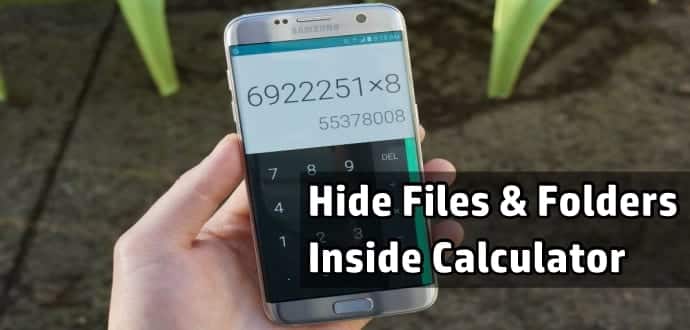
How to hide your top secret files inside the Calculator on your Android smartphone

How To Hide Files & Folders Inside Calculator On Your Android Smartphone and Tablet

All of us have our little secret videos, images, and documents stored on our Android smartphones, which we abhor others even peeking at. The problem with our smartphones is that every Tom Dick and Harry asks for it to check out its features, camera, and specifications. And we can’t just refuse especially if the person who wants is our near and dear one.

Hiding your video/image and documents in a conspicuous folder will make your loved ones even more suspicious. In olden days, we used to create a folder named System and save such videos and photos in this folder. But now everybody knows this trick. While there are many other methods available on your Android smartphone to hide such important videos and images, today we will teach you to hide your files and folders behind your everyday App called Calculator.

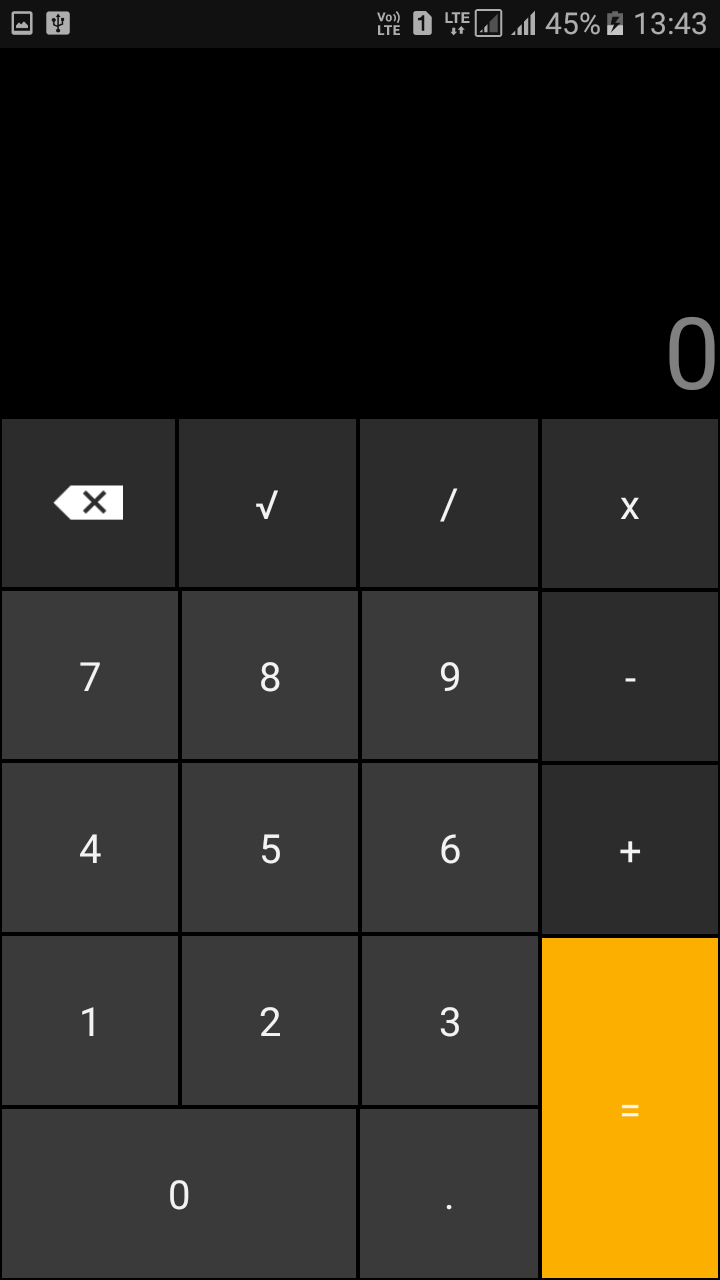
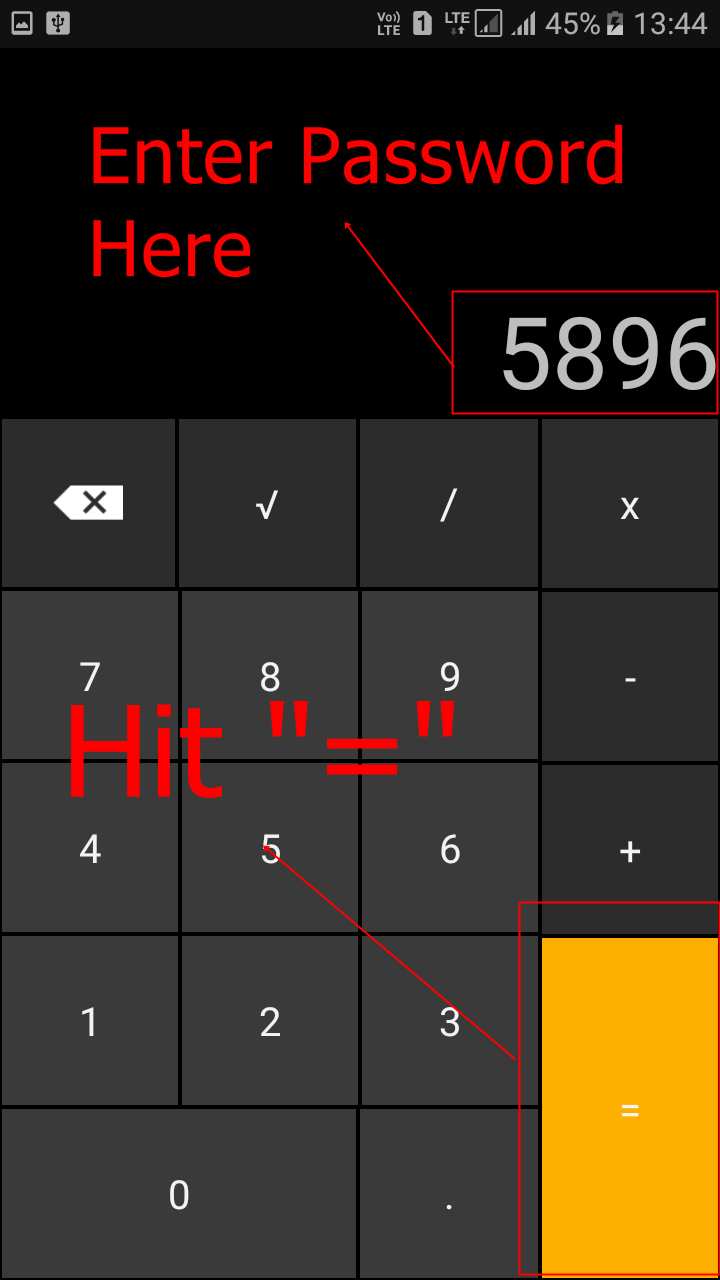
Yes, Calculator! Thanks to an App called “Smart Hide Calculator” which is a fully functional calculator app you can hide your important files and folders from prying eyes. Smart Hide Calculator is actually a vault where you can store pictures, videos, and documents with its front as a Calculator.  You need to setup a password and then press the “=” button then you will get to see the files inside the app.

How To Hide Your Private Files Inside Calculator App On Android Smartphone

Step 1. First of all, you need to download and install the Smart Hide Calculator App from Google Play on your Android smartphone/tablet.

 Smart Hide Calculator- screenshot thumbnail

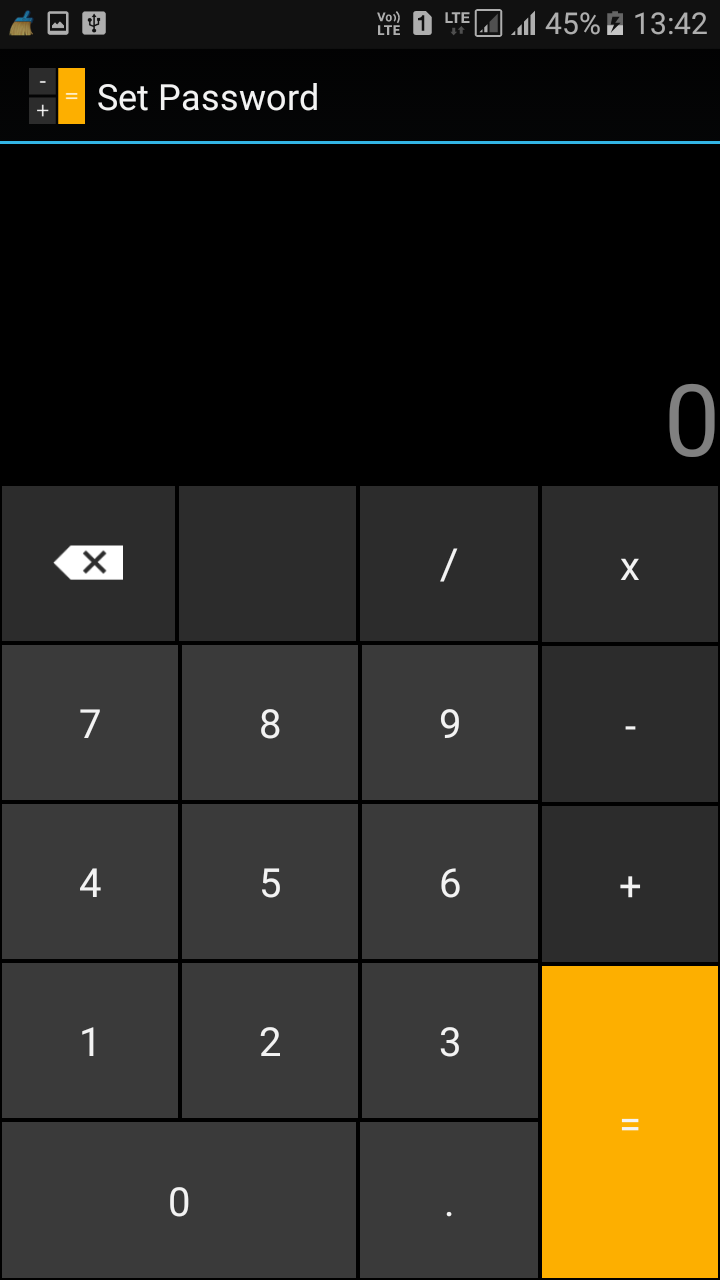
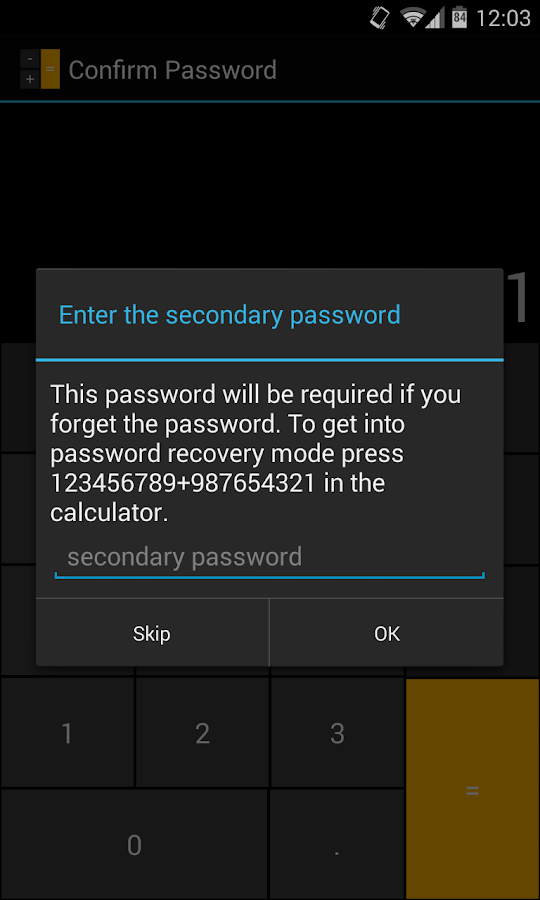
Step 2. Now open the App and it will prompt you to set a password. Set a fairly hard yet easy to remember password because this will let you unlock/lock your private hidden files.

Hide Files & Folders Inside Calculator On Android
Step 3. After you confirmed the password, you and who every takes your Android smartphone will only see a fully functional Calculator App. 
Hide Files & Folders Inside Calculator On Android
Step 4. To start adding your private files, you just need to enter the password and tap on “=” button to access the vault.
Hide Files & Folders Inside Calculator On Android
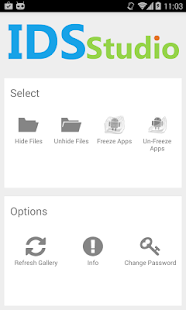
Step 5. Once you entered the password and tapped on ‘=’ button, The App will give you options likes “Hide Files”, “Unhide Files,” Change Password etc.
Hide Files & Folders Inside Calculator On Android
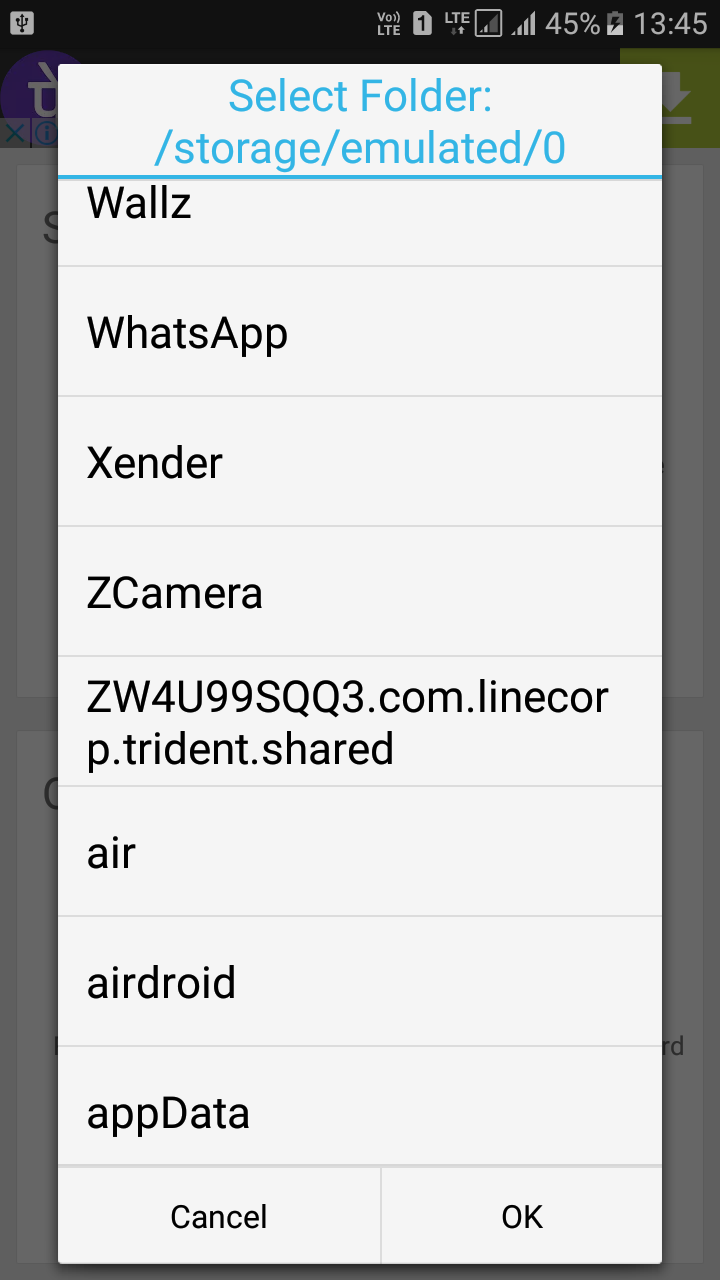
Click on the Hide Files icon and select the drive and the file folder or individual videos/music/photographs or documents you want to hide. 
Hide Files & Folders Inside Calculator On Android

Press Ok and all your important top secret files and folders are hidden behind the most trusted app in the world, your Calculator.  If you want to unhide the files then simply go to the vault and select the option “Unhide Files” and from there you can unhide files.

In case you forget your password, don’t worry, the password can be reset using a master key by pressing 123456789+987654321

 Smart Hide Calculator- screenshot

The Smart Hide Calculator App is perhaps the best way to hide your important files and folders on your Android smartphone.

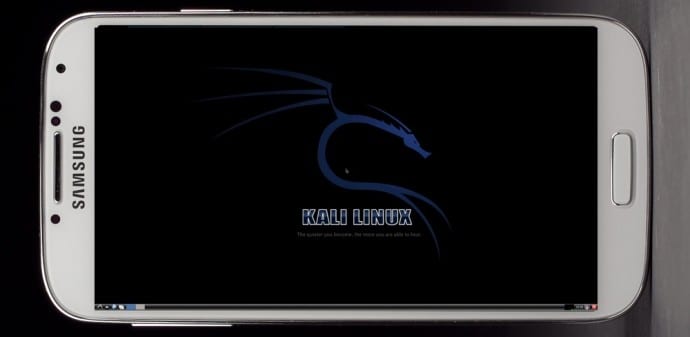
How To Install Kali Linux On Android Smartphone

Install Kali Linux on your Android device and develop a portable penetration testing environment

Kali Linux, a secure distribution of Linux, is one of the most widely used OS among ethical hackers  (and unethical hackers). The reason is that Kali Linux has almost every tool required for pentesting pre-installed. And a great back end support fromOffensive Security make it a great platform for beginners as well as professionals. Kali Linux is a successor of BackTrack OS which was also developed by Offensive Security.

The developers at Offensive Security have been working extensively for developing a dedicated operating system for cyber-security researchers. Along with ARM devices, Kali Linux is available for Android too.

The installation process is very simple and straightforward. If you have a rooted Android phone having at least 5GB of free storage and a fast internet connection (to download repository files), then everything else is just a matter of few taps on your smartphone.

First of all installLinux Deploy app from Play Store.

Now make sure that your phone is in the required state for installation. That is, make sure that your phone is rooted, having 5GB of free space, an internet connection with decent speed (and you are patient enough to wait for Kali to bootstrap from the network).

Root privilege is required because Kali will install itself in chroot mode. Which means that allowed access will be restricted to specified directory (acting as root directory) and their children.

Step 2 is running the app, and selecting Kali Linux in the distribution tab. Optionally, you can choose your architecture, verify that the Kali mirror is correct, set your installation type and location on your Android device, etc. Generally speaking, the defaults provided by Linux Deploy are good to begin with.

Once all the settings are at place, hit the “install” button and app will start a Kali Linux bootstrap directly from repositories of Offensive Security. Depending on your Internet connection speed, this process could take a while. You’ll be downloading a base install of Kali Linux (with no tools) at minimum.

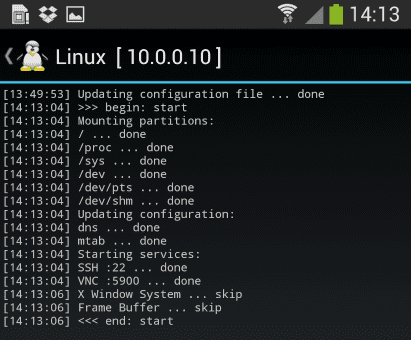
When the installation is complete, you can have Linux Deploy automatically mount and load up your Kali Linux chroot image. This also includes the starting of services such as SSH and VNC for easier remote access. All of this is automatically done by hitting the “start” button. You should see Linux Deploy setting up your image with output similar to the following:
Kali Linux

At this stage, Linux Deploy has started a VNC and SSH server inside your chrooted Kali image. You can connect to the Kali session remotely using the IP address assigned to your Android device (in my case, 10.0.0.10).

Logging In:

You can now access your Kali Linux instance with either VNC or Secure Shell(SSH). The required credentials are-
For VNC password is “changeme”
For SSH username is “android” and password is again “changeme”

This is what it all looks like on your device:

Linux localhost 3.4.5-447845 #1 SMP PREEMPT Fri Apr 12 17:22:34 KST 2013 armv7l
Kali GNU/Linux 1.0 [running on Android via Linux Deploy] android@localhost:~$ sudo su
root@localhost:/home/android# df
Filesystem 1K-blocks Used Available Use% Mounted on
/dev/loop3 4180944 667268 3304012 17% /
tmpfs 952708 80 952628 1% /dev
tmpfs 952708 0 952708 0% /dev/shm
root@localhost:/home/android#
root@localhost:/home/android# apt-get update
Hit http://http.kali.org kali Release.gpg
Hit http://http.kali.org kali Release
Hit http://http.kali.org kali/main Sources
Hit http://http.kali.org kali/contrib Sources
Hit http://http.kali.org kali/non-free Sources
Hit http://http.kali.org kali/main armel Packages
Hit http://http.kali.org kali/contrib armel Packages
Hit http://http.kali.org kali/non-free armel Packages
Ign http://http.kali.org kali/contrib Translation-en_US
Ign http://http.kali.org kali/contrib Translation-en
Ign http://http.kali.org kali/main Translation-en_US
Ign http://http.kali.org kali/main Translation-en
Ign http://http.kali.org kali/non-free Translation-en_US
Ign http://http.kali.org kali/non-free Translation-en
Reading package lists… Done
root@localhost:/home/android#

Memory Considerations:
If left unchanged, Linux Deploy will automatically set an image size of around 4 GB, for a “naked” installation of Kali. If you would like to install additional Kali tools down the road, you might want to consider using a larger image size, which is configurable via the settings in Linux Deploy.

Quick Tip: Prefer SSH over VNC while logging into your OS. This will save you a lot of time.

Post your further queries in the comment box to get them resolved.

Source:www.techworm.net

Monday, 24 July 2017

How much Ram does a smartphone actually need?


Buying a smartphone today can be confusing. Long specification sheets are crammed with numbers, and their relationship with real-world performance is not always clear. One of the most misunderstood of all those specs is RAM, or Random Access Memory.

If you’re wondering how much RAM your smartphone needs, then you’re not alone. This question has popped up again and again since the dawn of the smartphone. We decided to ask some experts about how much RAM the average person really needs, what it does, and how it works.

WHAT DOES RAM DO?

“Smartphones have come a long way in the last few years and do more for us now than ever,” Vishal Kara, Head of Product at Piriform(the makers of CCleaner for Android) told Digital Trends. “As we perform more and more tasks using our smartphones, more RAM is necessary for them to continue functioning efficiently.”

We install apps and games into internal storage, our CPU (Central Processing Unit) and GPU (Graphics Processing Unit) deal with processing, so what does RAM do?

“Smartphones require instant access memory for multitasking – which is what RAM delivers,” Kara said. “Essentially, RAM keeps all your operations running at once.”

“There is no right or wrong to how much RAM a smartphone requires"

When you run an app or game on your phone, it’s loaded into RAM. As long as an app is still in RAM, you can jump back into it where you left off without loading it afresh. This is why RAM is important for multitasking. The loaded apps stay there until your RAM fills up and needs to flush something to make room for something else.

In theory, more RAM means that you can have more processes and therefore more apps running at once.

“There is no right or wrong to how much RAM a smartphone requires, although RAM plays a big part in how fluid and seamless our smartphone experience is,” explains Kara. “Unlike PCs, where a few seconds delay in an app loading is acceptable, we expect apps to load instantly on our smartphones even when we’re on the go.”

RAM also enables processes to run in the background. Some of these background processes, such as your phone checking for email, are really useful. Others, like a piece of carrier bloatware or an app that you never use, are not.

THE RISE OF RAM

The first Android smartphone, the T-Mobile G1 or HTC Dream, had just 192MB of RAM and the original iPhone got by with 128MB of RAM. Those numbers have climbed steadily over the last decade or so, with an occasional leap prompting a new round of discussion. OnePlus most recently reignited the debate with the OnePlus 5, which boasts 8GB of RAM.

“With 8GB of RAM, the OnePlus 5 can run more apps in the background allowing for faster multitasking, and, with the unrelenting development of innovative applications and technologies, the demand for more power and memory in smartphones is ever-increasing,” Laura Watts, European communications manager for OnePlus, told Digital Trends in an email. “With 8GB of RAM, the OnePlus 5 allows all users to easily run the most powerful applications and eliminates all doubt in its ability to do so in the future.”

OnePlus 5: 8GB of RAM

Julian Chokkattu/Digital Trends

Since most of the rest of the flagship smartphone pack is around the 4GB RAM mark right now, the jump to 8GB seems dramatic.

“Generally speaking, more RAM is better, and performance isn’t hampered by having more RAM,” John Poole of Primate Labs (makers of benchmarking software Geekbench 4 for iOSand Android) explained to Digital Trends. “But is it really necessary?”

The amount of RAM we need is certainly growing. The average smartphone user launches 9 apps per day and uses around 30 different apps in a month, according to App Annie. Digging into the memory tab in the settings of my HTC U11, which has 4GB of RAM, reveals that average memory use over the last day was 2.3GB and that 47 apps used memory during that period.

We also have more storage than ever. The OnePlus 5 with 8GB of RAM has 128GB of storage. That’s enough space for a lot of apps.

Poole also points to the fact that software is growing bigger and more complicated, cameras are shooting larger images in RAW format and performing more image processing, and screens are getting bigger, but he’s still skeptical about the need for 8GB.

“For smartphones, 4GB is plenty right now,” Poole said. “My feeling is that some vendors will engage in a specifications war where they’ll overprovision the amount of RAM simply because it’s a selling point -- they can say ‘look at how much more RAM our phone has than our competitors’ phone, clearly our phone is better’.”

It’s a sentiment that was shared by Huawei executive, Lao Shi, earlier this year.

WHY HAVING MORE RAM ISN'T ALWAYS BETTER

If RAM offers potential performance improvements and greater convenience, then you may be wondering: what’s wrong with having more of it?

If you aren’t using the RAM, then it may be a drain on your battery.

“The more RAM you put into a phone, the more power that will draw and the shorter your battery life will be,” Poole said. “RAM takes up the same amount of power regardless of what’s in it -- if it’s an application or it’s just free, you’re still paying for it in terms of power.”

In other words, if you aren’t using the RAM, then it may be an unnecessary drain on your battery. Those background processes that we mentioned earlier also have an associated cost, as anyone who has used the Facebook app on Android will know.

“Even if they’re not doing much, they can cause the processor to spin up to service any work that they have to do and that can contribute to energy drain,” Poole said.

THE IPHONE IN THE ROOM

Android phones have jumped from 2GB to 4GB RAM as standard, and we’re now seeing phones with 6GB and 8GB of RAM -- Apple’s iPhone has always gotten by with less.

Apple executives have traditionally remained tight-lipped about how much RAM is in the iPhone -- it’s not a spec they talk about. But we know from teardowns that the iPhone 7 has 2GB of RAM, and even the current top-of-the-range iPhone 7 Plus manages with 3GB of RAM.

iPhone 7: 2GB of RAM

Apple achieves comparable performance with less RAM because of fundamental differences in how the iOS and Android platforms handle memory management. Android relies upon something called garbage collection, while iOS takes a reference counting approach. A brief web search will reveal that the debate on which is better rages on, but it seems to be generally accepted that garbage collection requires more memory to avoid performance problems.

They may be different, but both platforms have a system of memory management that dictates what the RAM does. Because of this, you may not actually see any performance boost by simply adding more RAM – you would have to also tweak the memory management rules to take advantage of it. To what degree manufacturers are actually doing this is unclear.

Apple and Huawei did not respond to requests for comment. LG and HTC did not wish to participate in this article.

FREE THE RAM

“Users have been conditioned to believe that free RAM is an indicator of good performance from the days of PCs with limited memory, where this was a reasonable belief,” Kara said. “Nowadays, with more memory available, the perception that free RAM is an indicator of performance is a misconception. In fact, for a smartphone it’s the opposite.”

This misconception that having free RAM is a positive thing persists. Also, if you’re in the habit of clearing away your open apps, you should probably stop doing it because it isn’t helping. It won’t save battery life or make your phone run any faster, in fact, it can have the opposite effect.

“The operation of loading an app from storage into memory requires a lot of processing power, which results in higher power consumption,” Kara said.

Most manufacturers still provide utilities that allow you to review RAM and sometimes to free it up and close processes. Third-party task killer apps were also big for a while, but Poole describes them as “snake oil.”

“People want to see their RAM free, viewing it as headroom to work in,” says Poole. “But it’s better if your RAM is being used.”

Ultimately, how much RAM your smartphone needs depends on how you use your smartphone, but it’s no longer the problem it once was. Maybe a few power users will be able to feel the benefit of 6GB, and you might argue that 8GB is future-proofing. But anything over 4GB is probably overkill for the vast majority of people today.

VIEW ORIGINAL ARTICLE

What's with the desperate need for having more RAM in your phones, everyone?

What's with the desperate need for having more RAM in your phones, everyone?

There's nothing too bad about having more RAM in a device. Free RAM = wasted RAM, but it still doesn't hurt all that much to have extra RAM.

But my main concern, the reason why I always complain about devices that have an exceeding amount of RAM, is because it makes lazy developers and OEMs lazier.

Adding more RAM to a device serves two main purposes:

1) The manufacturer doesn't need to spend extra money and time in optimizing their software to make it work well with less RAM;
2) It serves as a marketing gimmick. All these companies go around showing off that their devices have so much RAM which makes them so much faster etc., which fools non-techy or uneducated people into believing these false claims.

What I hate the most about this whole "RAM Drama" is the first point I mentioned. All of these devices that come with 4-6GB of RAM can be made to work perfectly fine in nearly all ways even with lesser RAM, and people won't even notice the difference. It's just that companies don't want to do this and they don't want to optimize their fucking software.

You may argue that tech keeps evolving and back in the day we considered 3GB of RAM a lot on smartphones, but now it's a standard. This definitely holds true, but we have not yet reached a point where we even require more than 3-4GB of RAM on any phone, let alone make it a standard.

There's also the case of VR and Android Daydream, which is said to require more RAM. But at which point is VR going to become a standard/necessity? When is the time going to come where everybody needs to use it on a daily basis? How many of these 6GB RAM devices are even going to be VR/Daydream compatible to such an extent that the VR apps will be so advanced that they will actually need an extra whole fucking gigabyte or two of RAM to function smoothly? This may happen eventually, but not in 2016. We're just not in the "VR era" yet.

We have come to a point in 2016 where the rate at which hardware is advancing is surpassing the rate at which software is advancing. What I mean is that the ratio of hardware specifications to software features should always be kept at around 1:1, but today companies are adding in so much crazy hardware with shit software that doesn't take any real advantage of this incredible hardware and doesn't function efficiently. This has caused the hardware to software ratio I mentioned above to increase to 3:2 or even 2:1, which is not good and more so not even needed.

Feel free to argue/counter any points I made above, I'm in the mood for a debate.

And TL;DR: if the Nexus released this year comes with 6GB of RAM I'd be hating on it, but if the Nexus 2 years later comes with 6GB of RAM I probably wouldn't even consider it.

 
Copyright © 2014 HK TECH - How to 's ; Tips , Tricks And News. Designed by OddThemes